 NotchBuddy
The Focus tool
Focus: a Pomodoro timer in your MacBook notch
Start a 25-minute session in one click. A thin line fills along the notch as you work, so you always know how long is left without a window in the way.
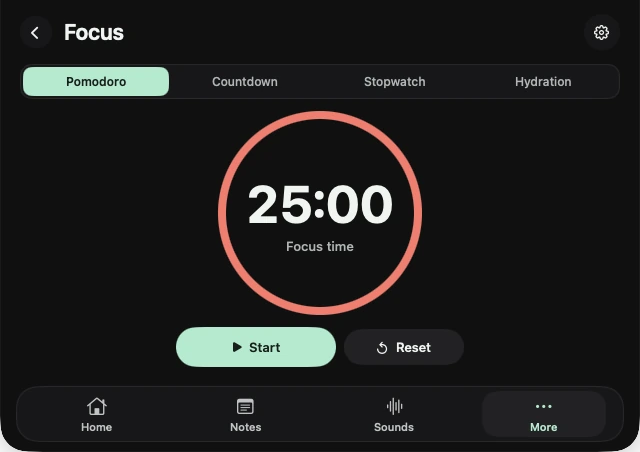
Four clocks
- Pomodoro for work and break cycles.
- Countdown for anything with a deadline.
- Stopwatch for timing a task.
- Hydration, a gentle nudge to drink water.
Quiet while you work
Your pet keeps its sounds to itself during a focus session. Pair Focus with Sounds for rain or brown noise, generated on your Mac.
⌃⌥Space
Hover over the notch, or press Control-Option-Space from any app, then pick the tool from Home or More.
Questions, answered.
Does the timer keep running if I close the panel?
Yes. The closed notch shows the progress line and the time left.
Is there a clock in the notch all the time?
No. The notch only shows time while a timer is actually running.