 NotchBuddy
A Pomodoro timer that lives in your Mac's notch
Most timer apps want a window or a menu bar slot. A progress line along the notch is quieter. Here's a simple routine.
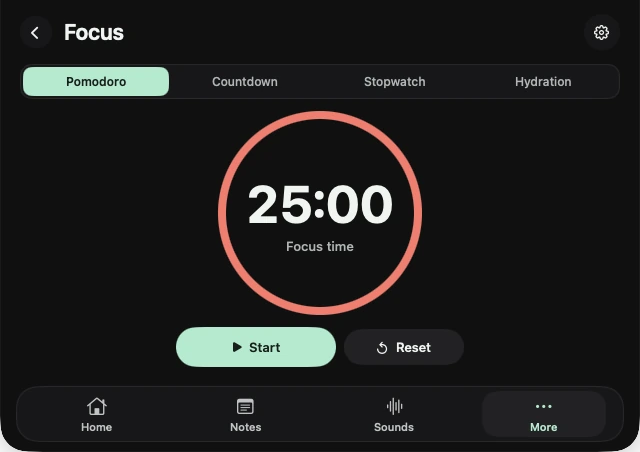
The Pomodoro technique is simple: work for 25 minutes, rest for 5, repeat, and take a longer break after four rounds. The hard part isn't the method; it's the timer. A window gets buried, a phone timer pulls you into your phone, and a big countdown in the menu bar is a clock you keep staring at.
A timer you notice only when you look
In NotchBuddy's Focus tool, starting a session draws a thin line along the notch that fills as time passes. You can see roughly how far you are without reading a number, which is what makes it restful.
- Open Focus
Hover the notch, or press ⌃⌥Space, and choose Focus.
- Start a Pomodoro
One click on Start 25 min. Close the panel and get to work.
- Add a sound (optional)
Open Sounds and turn on rain or brown noise. They're generated on your Mac and can fade out after 15, 30 or 60 minutes.
- Take the break
When the round ends, the notch lets you know. Stand up.
Other modes
- Countdown for a task with a deadline.
- Stopwatch for timing how long something actually takes.
- Hydration for a regular nudge to drink water.
Where 25 minutes comes from
Francesco Cirillo came up with the technique in the late 1980s, timing his study sessions with a tomato-shaped kitchen timer (pomodoro is Italian for tomato). The 25 minutes isn't magic; it's short enough to start without dread and long enough to get something done.
Adjust the rhythm to the work
- 25 / 5 for admin, email and anything you're avoiding.
- 50 / 10 for deep work like writing or code, once 25 feels too short.
- A countdown for a hard stop, such as "finish this before the 3pm call".
Whatever you pick, keep it the same for a week before judging it. The habit matters more than the numbers.
Make the break a real break
The five minutes only help if you leave the work: stand up, look out of a window, refill your water. Checking your phone doesn't count. The Hydration timer is there for the water part.
Three things that break a Pomodoro
- A timer you keep watching. A progress line is easier to ignore than a ticking number.
- Notifications mid-round. Turn on a macOS Focus mode while you work.
- No plan for the round. Write the one thing you're doing on the Scratchpad before you press Start.