 NotchBuddy
Dynamic Island for Mac: how to get it on a MacBook
Apple put Dynamic Island on the iPhone, not the Mac. Notch apps fill the gap. Here's how they work, and which one to pick.
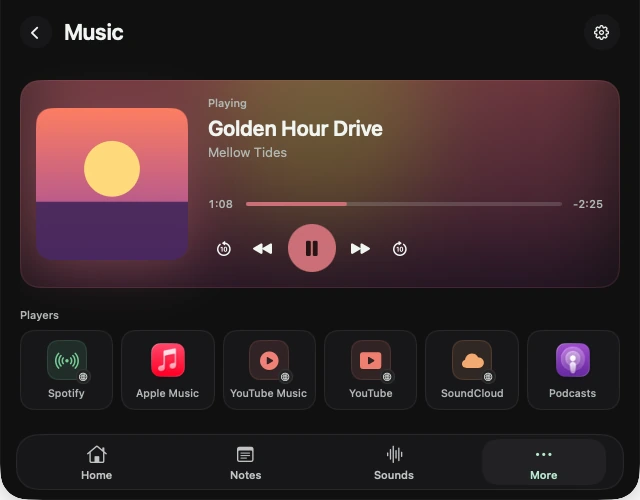
On an iPhone, Dynamic Island is the pill around the camera that grows to show a timer, a song or a delivery. MacBooks got a notch in 2021, but macOS doesn't do anything with it: it's a black gap in the menu bar. Notch apps fill that gap with their own version of Dynamic Island.
What a Mac Dynamic Island does
- It shows live activity in the closed notch: the song that's playing, a timer counting down, a sale coming in.
- It opens into a small panel when you hover or click, then tucks away again.
- On Macs without a notch and on external displays, most apps draw their own pill at the top of the screen.
Closest to the iPhone, or most useful
Notch apps split into two camps. Some chase the iPhone look: fluid animations, music and replacement volume and brightness pop-ups. Alcove is the most polished of these, and The Boring Notch is the free one. Others treat the notch as a toolbox: OmniNotch, Atoll, MacNotch, Notchy and NotchBuddy put timers, clipboard history, notes and files there too.
Five ways to get it
| App | Price | Best at |
|---|---|---|
| Alcove | $14.99 once | Polish, music and system pop-ups |
| The Boring Notch | Free | Music and a file shelf, open source |
| Atoll | Free | Power-user extras on notched MacBooks |
| OmniNotch | $14.99 once | Lots of tools and on-device AI |
| NotchBuddy | $20 once | Tools, sales alerts and a pet |
The full list, with licences and macOS versions, is in the best Mac notch apps in 2026.
Setting it up with NotchBuddy
- Install it
Download the DMG from the download page and drag NotchBuddy to Applications. It's signed and notarized by Apple.
- Hover the notch
A panel opens with your pet, a focus timer, music and shortcuts. Move away and it tucks back in. Press ⌃⌥Space to open it from any app.
- Give it something to show
Play a song or start a Focus timer and watch the closed notch: the track or a thin progress line appears next to your pet.
No notch? You can still have one
On a Mac mini, an iMac, an older MacBook or an external display, NotchBuddy draws a small black pill at the top centre of the screen and works the same way. More in notch apps without a notch.
Questions, answered.
Does macOS have Dynamic Island?
No. macOS leaves the notch empty. Dynamic Island-style features on a Mac come from third-party notch apps.
Is there a free Dynamic Island app for Mac?
Yes. The Boring Notch and Atoll are free and open source, and Notchy is free but closed source.
Will a notch app drain my battery?
A well-made one shouldn't. NotchBuddy's pet only moves when you can see it and rests when you step away.